
Open Educational Resources – Developing
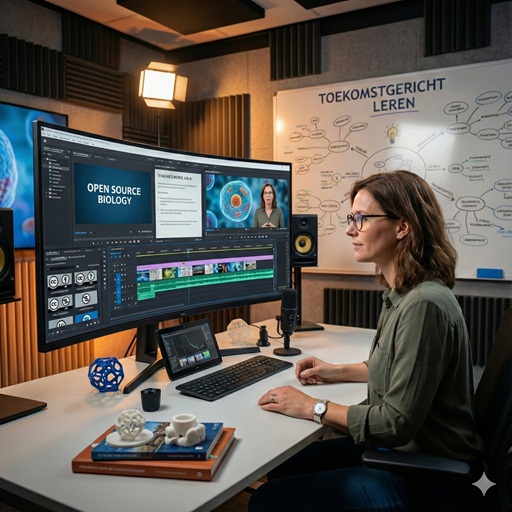
Developing means creating digital (open) learning materials yourself or adapting existing materials to your educational context. For example, you could develop a video or podcast, create an open textbook, or combine different open sources into new learning materials.

By developing your own materials, you better align your teaching materials with your students and learning goals. It gives you the freedom to innovate and experiment with different teaching methods. You also actively contribute to the quality of open education and share your expertise.

  • Get inspired by the experiences of others. You can find various practical examples on edusources.
  • Saxion lecturers have developed their own learning materials or MOOCs, including the toolboxes below.
  • At media.saxion.nl, under Academies & Services, you’ll find various (public) videos developed by lecturers and staff.
  • On the Media Xpert Centre channel, you’ll find all the productions developed by Saxion’s media team.
  • There is a lot of information about and examples of open educational resources in the catalog of Saxion Library.

Developing – frequently asked questions

When developing digital learning materials, you can take the following steps:

  • Formulate the goal
    • Why are you developing this learning material?
    • What problem are you solving?
    • What learning objective should be achieved?
  • Analyze the target group
    • What is their prior knowledge?
    • What are their learning needs?
  • Plan
    • Who do you need (colleagues, media expert, educational specialist, manager)?
    • How much time is available/needed?
    • What are the potential costs?
    • How will you sustainably maintain and manage the material after development?
  • Develop
    • What type of learning material best suits the purpose (video, podcast, textbook)?
    • How will you ensure that the material is clear, consistent, and accessible?
    • Which sources will you use, and are they copyright-compliant?
    • How will you guarantee quality (didactic, technical, content)?
  • Publish
    • Where will you publish the material (e.g., edusources, media.saxion.nl)?
    • Under what license will you share the material?
    • Does the learning material meet the requirements from the Checklist for Publishing Digital Learning Materials?
    • How will you communicate that the learning material is available?
  • Evaluate
    • How did students actually use the material?
    • Were the learning objectives achieved, and what evidence is there of this?
    • Does the material need to be updated, and if so, when and by whom?

The following aspects are important during development:

  • Open Licenses and Reuse
    Do you intend to share the material openly? Consider this during the design phase. Avoid closed sources or images to which you do not have the rights. Determine in advance which license you want to share the material under. You can use the license selector for this.
  • Technical and Educational Quality
    A clear structure and a logical progression ensure that the content is easy to follow. By also formulating clear learning objectives, students know what is expected of them and what they are working towards.
  • Accessibility
    Subtitles for videos and transcripts for podcasts contribute to improved accessibility. It is also important to ensure good readability, sufficient color contrast, and well-functioning screen readers. By consistently applying the WCAG guidelines, digital content becomes accessible to the widest possible group of users.
  • Target group and context
    The course material aligns with the students’ prior knowledge and level and is clearly linked to professional practice and the learning environment. This makes the course material meaningful and more applicable in practice.
  • Multidisciplinary collaboration
    Work with an educational specialist, media expert, library/copyright specialist, and colleagues from the subject area.

Saxion supports and advises on the following tools, among others:

  • H5P – for interactive content
  • Media.saxion.nl – for recording, storing, and publishing video
  • PowerPoint – for knowledge clips or slides
  • DIY Video Studio – for recording and publishing video. More information and reservations are available on the website.
  • DIY Podcast Studio – for recording podcasts. More information and reservations are available on the website.
  • Microsoft Clipchamp or Kaltura (video platform) – for video editing
  • Adobe Acrobat – for editable PDFs
  • Brightspace – for integration into education
  • AI-tools (such as CopilotGemini of NotebookLM) – for quickly generating, structuring, and enriching digital learning materials, such as texts, assignments, summaries, or knowledge clip scripts.

Your learning materials must meet the quality requirements that Saxion uses for digital and open sharing. For this purpose, the Checklist for publishing open learning materials has been developed, in which you can check step by step whether your material meets the requirements regarding, for example, didactic quality, copyright and metadata. You can also draw up a quality model yourself to be able to check the quality of the subject matter as well.

You can often adapt existing open learning resources, provided the license allows it. Therefore, always check the Creative Commons license first:

  • BY (Attribute) – you must credit the creator
  • NC (Non-Commercial) – for non-commercial use only
  • ND (No Derivatives) – you may not edit the material
  • SA (Share Alike) – derivative works must be shared under the same license

If a license is missing, the material is automatically fully copyrighted, and you need the creator’s permission.

Adapting material can be done in various ways. Think of rewriting texts to better suit your target audience, shortening or enriching a video with your own examples, or converting a static document into an interactive H5P assignment. You can also replace visual examples with context from your field of expertise, or rewrite assignments to align with current cases or professional practice within your program.

For practical editing, use tools supported by Saxion: edit videos in Clipchamp or Kaltura, rewrite and restructure documents in Word, PowerPoint, or Adobe Acrobat, or create interactive versions in H5P.

Also see the question “Which tools or platforms can I use to develop learning materials?”

Finally, always clearly note the original source, the license, and your modifications. This makes the material transparent, reusable for others, and ready to be shared openly again if needed.

Only if:

  • they are available under an open license, or:
  • they are subject to educational restrictions such as citation rights, or:
  • you have the author’s permission.

Preferably use sources from:

  • Wikimedia Commons (CC licenses)
  • Pixabay / Pexels (free images)
  • SURFsharekit / Edusources (open educational resources)

If you use the images, articles, videos, etc. only within Saxion, the rules are more flexible. Saxion has already purchased part of the Easy Access scheme through the Association of Universities of Applied Sciences. This allows you to share a maximum of 50 pages (up to 25% of the entire publication) with students. For example, in a presentation, you may use a maximum of 25 images, of which no more than